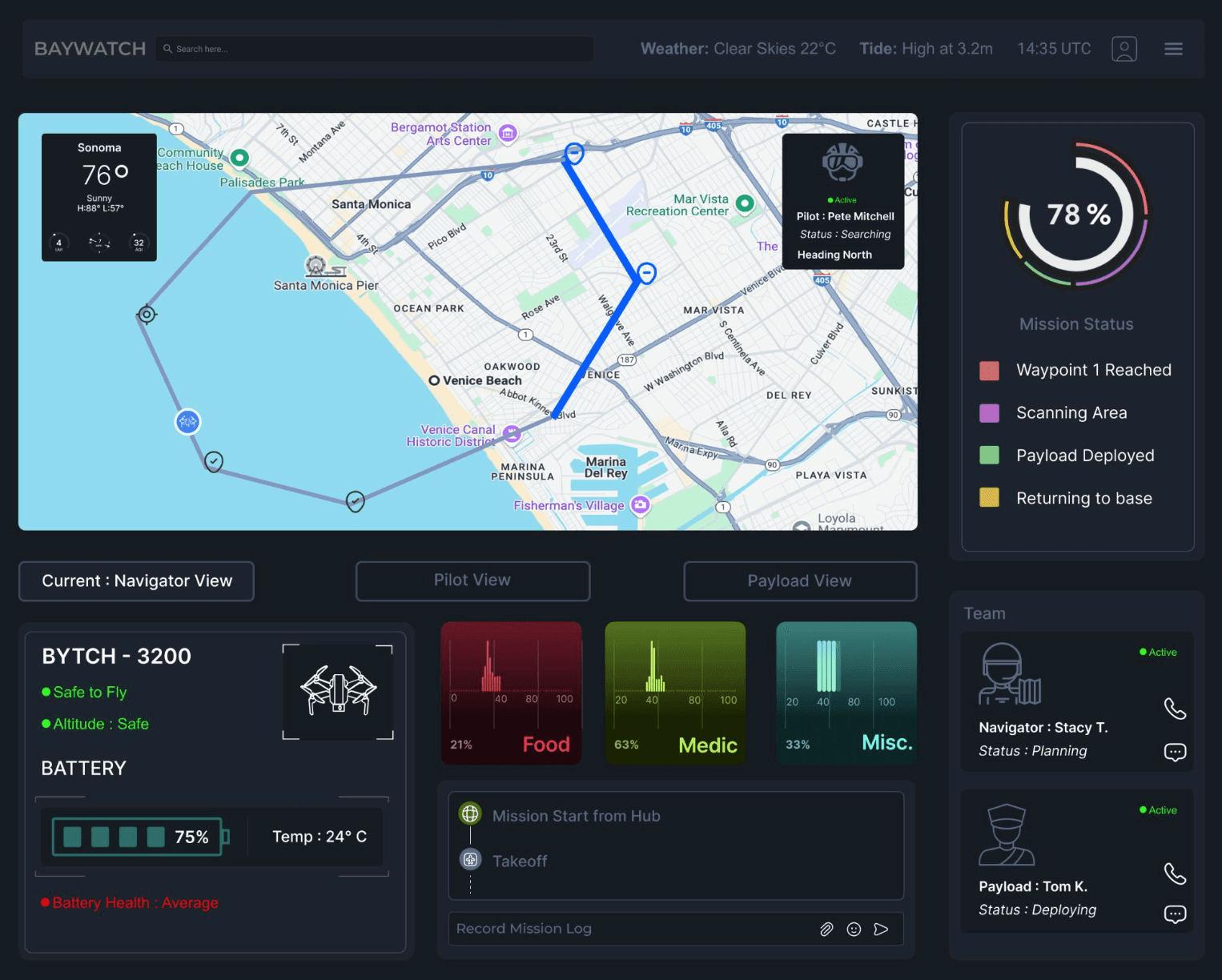
Figure 1. One of the Baywatch operator displays, built around a live coastal map.
UAV WORKSTATION · CONCEPT PROJECT
Baywatch
A concept for a multi-role UAV that patrols coastlines, helps with search and rescue and carries supplies where they’re needed. I designed the operator displays and controls, the workstation and the alert system for each of its three operator roles.
CONTEXT
Arizona State University
TIMELINE
Aug to Dec 2024
TYPE
Concept
The mission.
Baywatch is a concept UAV built for several kinds of work along a coastline:
Stopping illegal activity at sea, such as smuggling, environmental violations and fishing without a permit
Supporting search and rescue missions
Delivering essential supplies
Issuing critical warnings
The problem.
Operators on coastal patrol stay seated for long stretches, which leads to physical discomfort and mental fatigue and slows their work down. Standard workstations ignore the range of body sizes on a crew, raising the risk of chronic pain and repetitive strain injury.
Without a planned work-rest schedule, and with poorly designed alerts, decisions can suffer in critical situations.
The approach.
I designed a multi-role workstation around ergonomic inclusivity and the needs of each role. Anthropometric data set the dimensions so the station fits a wide range of operators. Adjustable seating, careful display placement and a structured work-rest schedule are there to reduce fatigue.
Research: three roles, three sets of needs.
I ran a task analysis of the three operator roles. Each one carries different physical and cognitive demands, and the findings set the ergonomic requirements for every station.
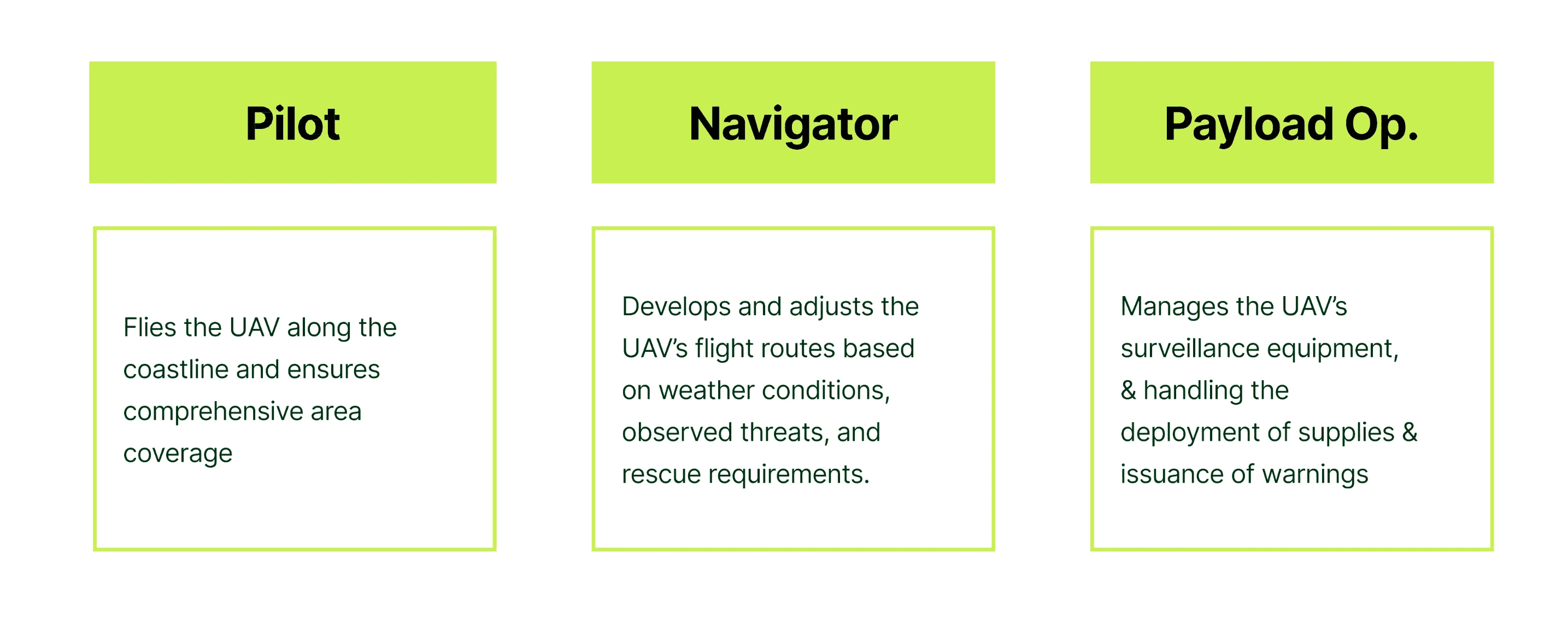
Figure 2. The three operator roles and what each one is responsible for during a mission.
Prototyping the displays.
I prototyped a display for each of the three roles and refined them through feedback. The pilot works from a single screen, while the navigator and the payload operator each moved to a primary and a secondary screen.
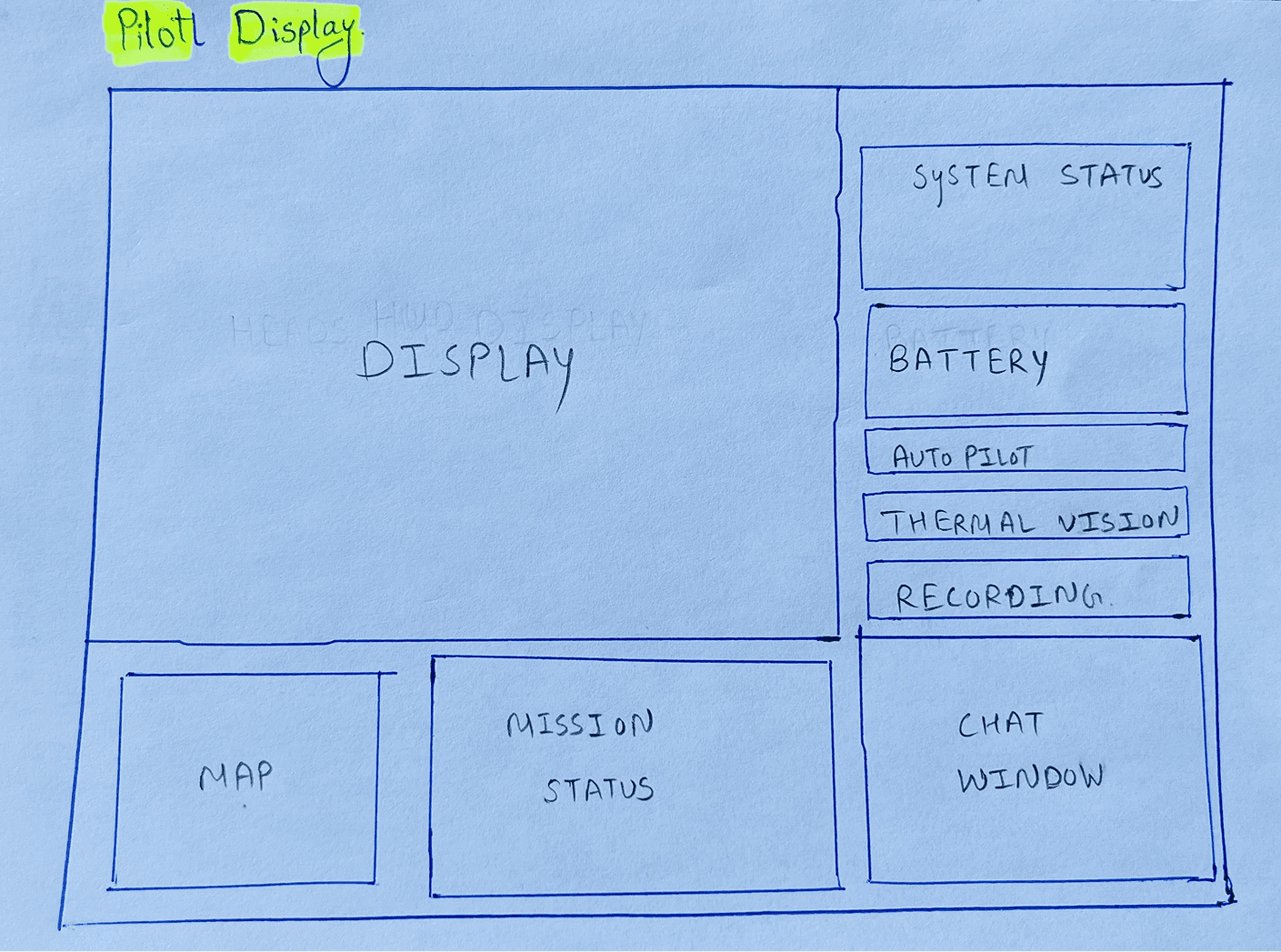
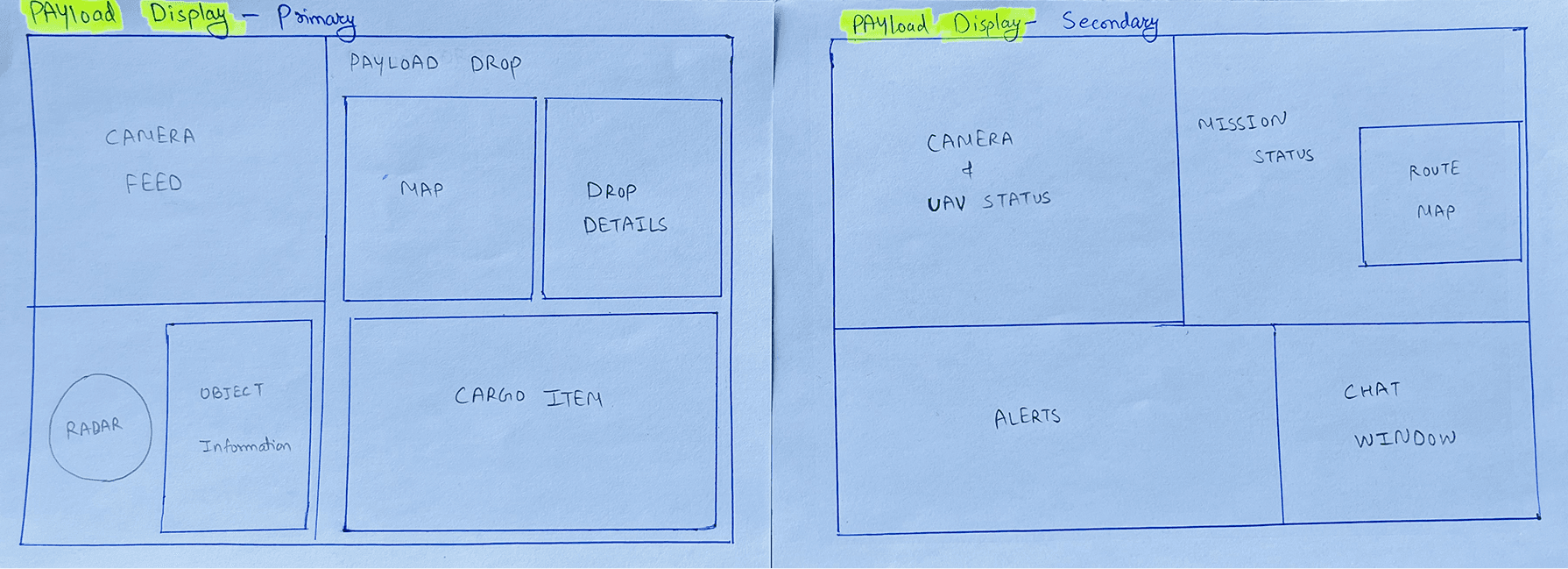
Figure 3. Paper sketches of the pilot display and the payload operator’s two screens.
Display design.
The displays follow the fifteen principles of display design, grouped into four families:
Attention: salience compatibility, low information access cost, proximity compatibility and not letting tasks compete for the same resources
Perception: legible displays, avoiding absolute judgment limits, top-down processing, redundancy gain and signals that are easy to tell apart
Memory: knowledge in the world, visual momentum, predictive aiding and a consistent layout across screens
Mental model: pictorial realism and the moving part
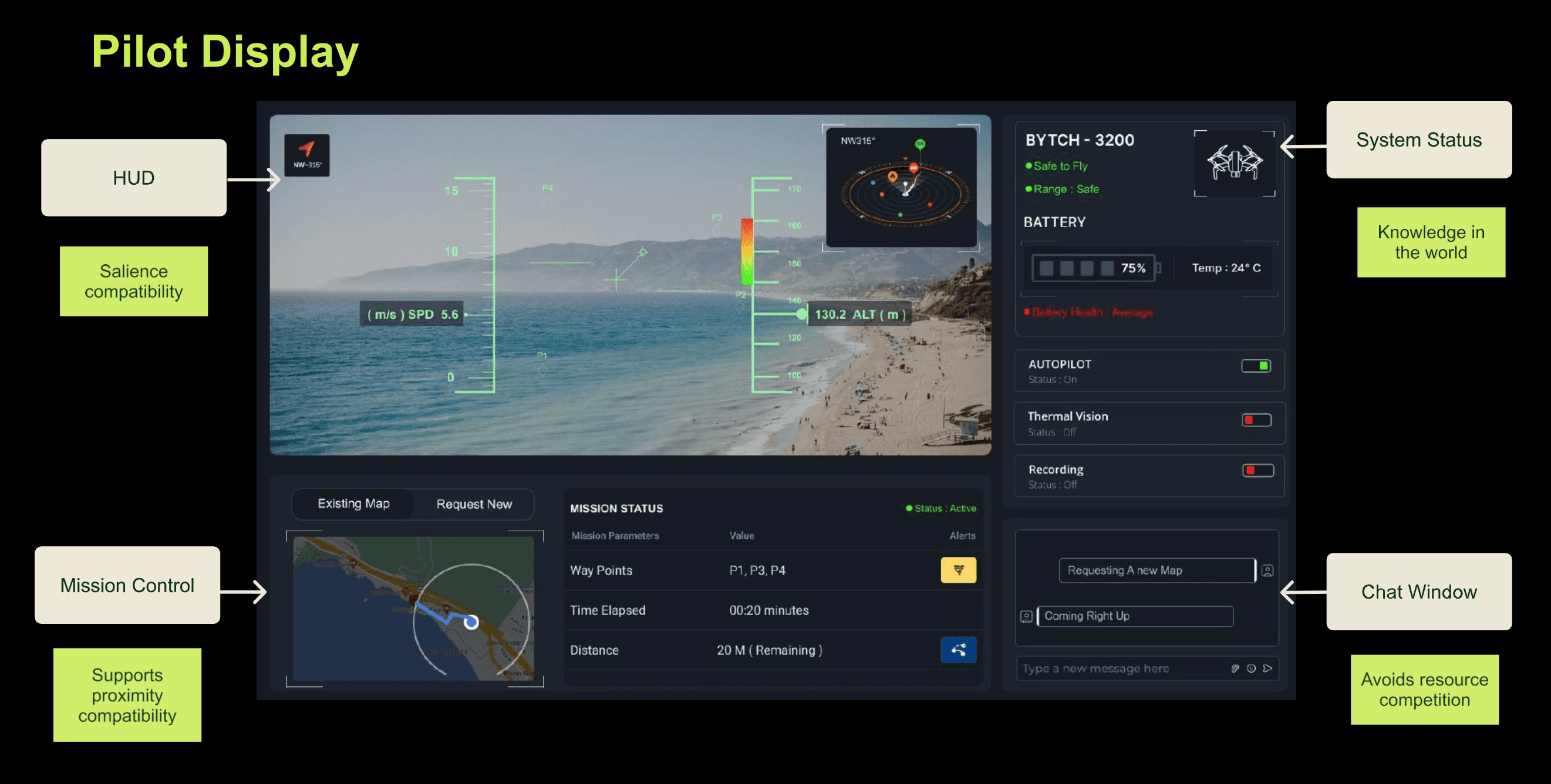
Figure 4. The pilot display, annotated with the principle behind each element.
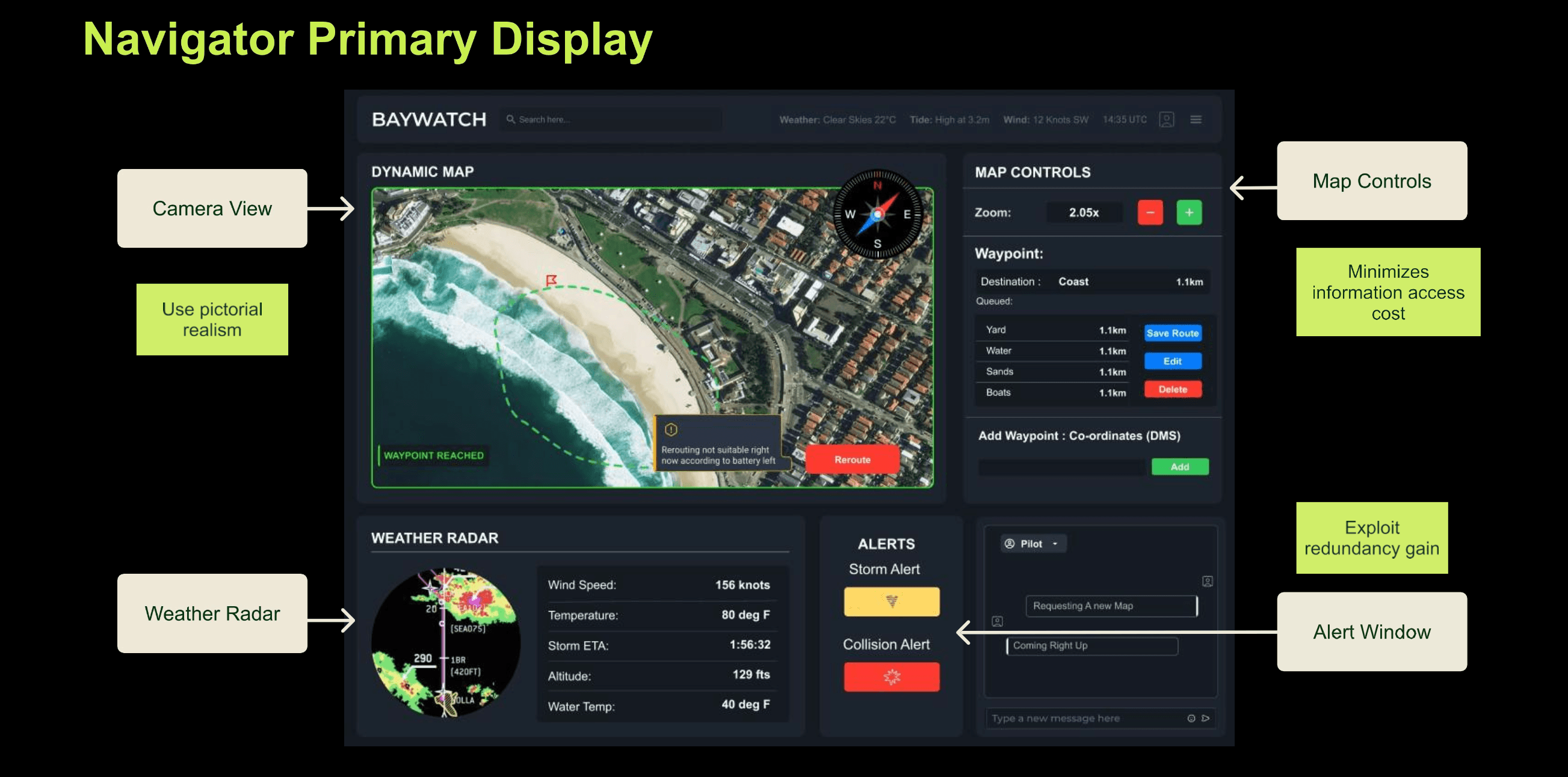
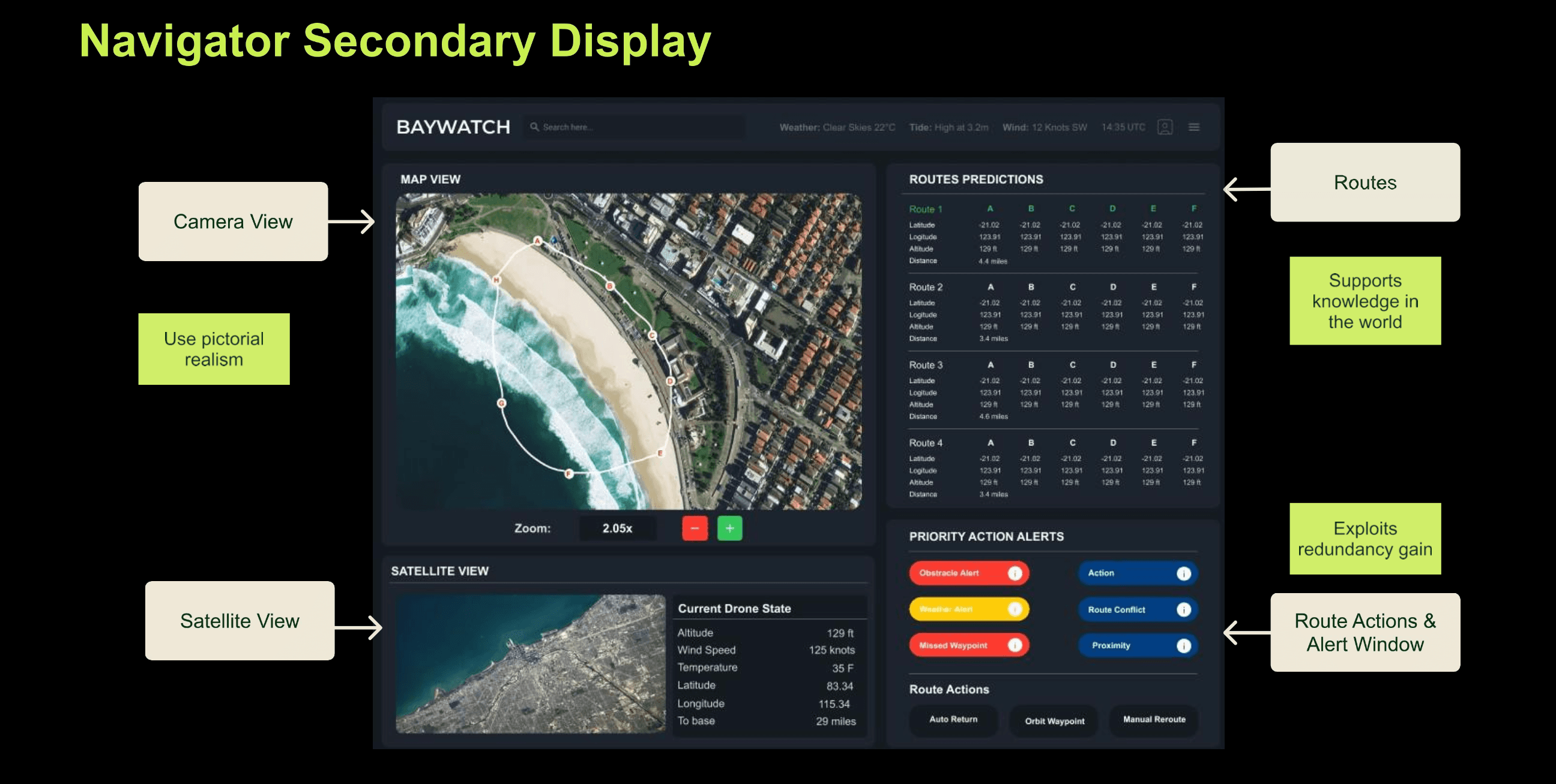
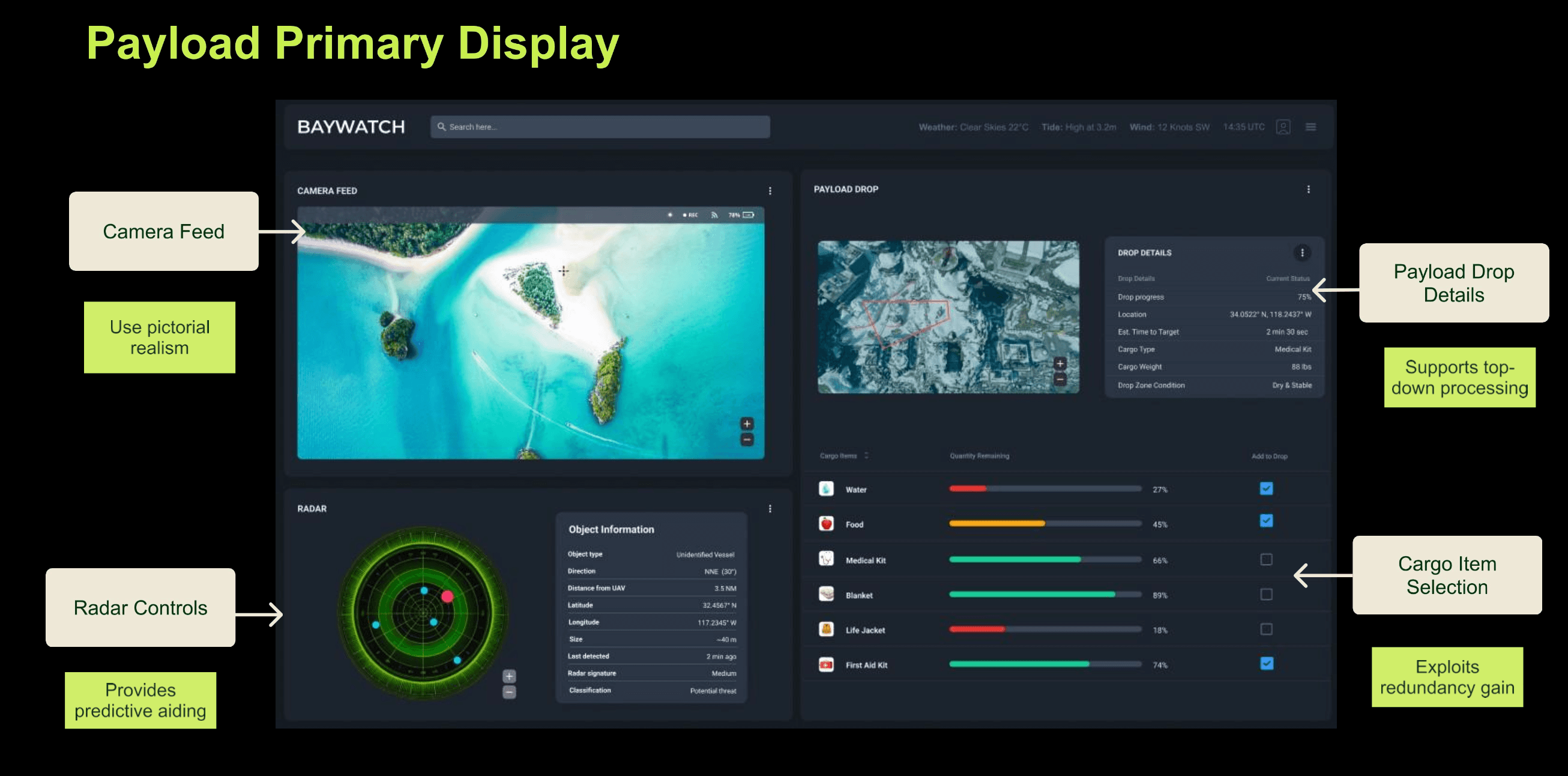
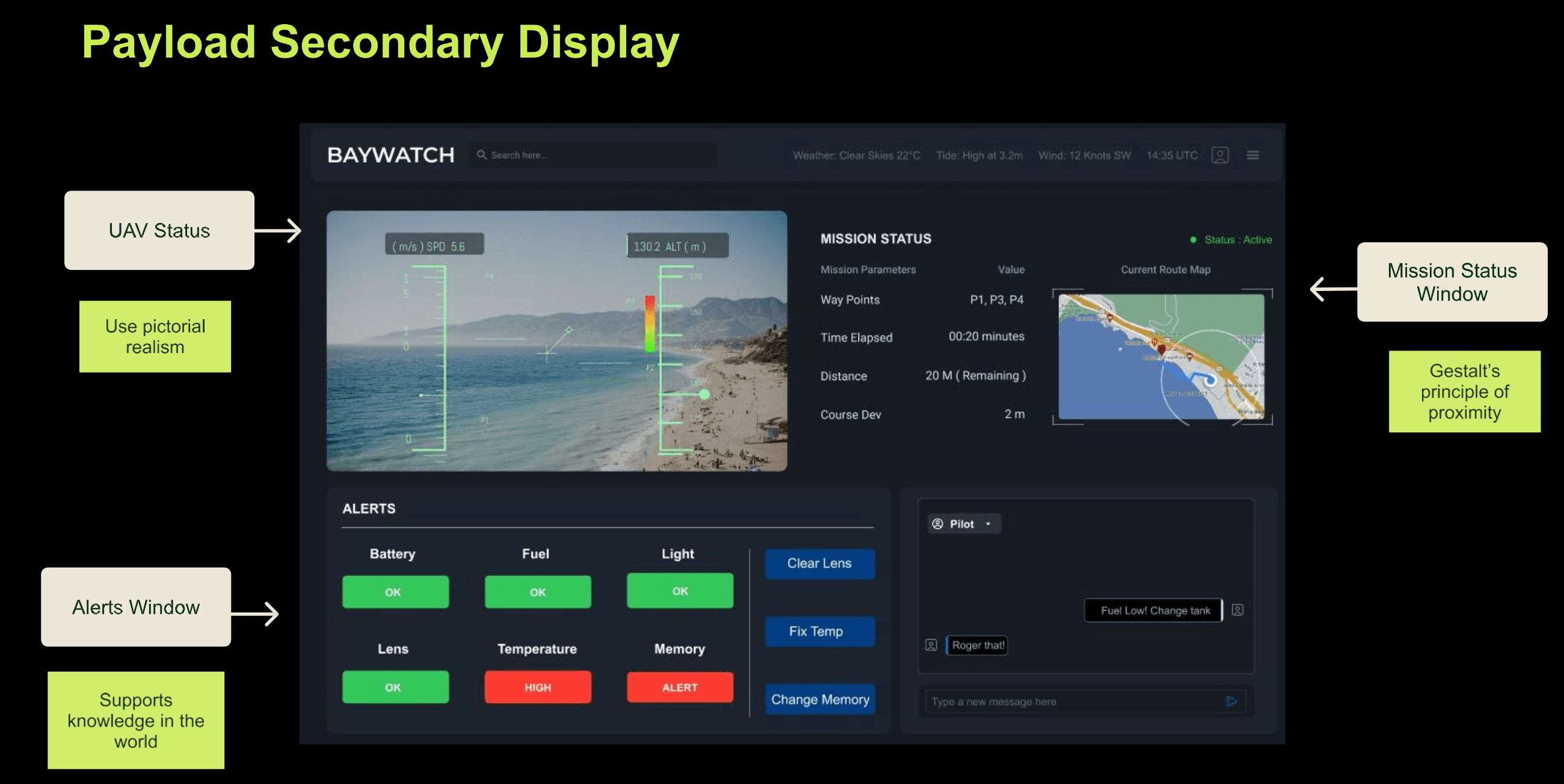
Figure 5. Primary and secondary displays for the navigator (top) and the payload operator (bottom).
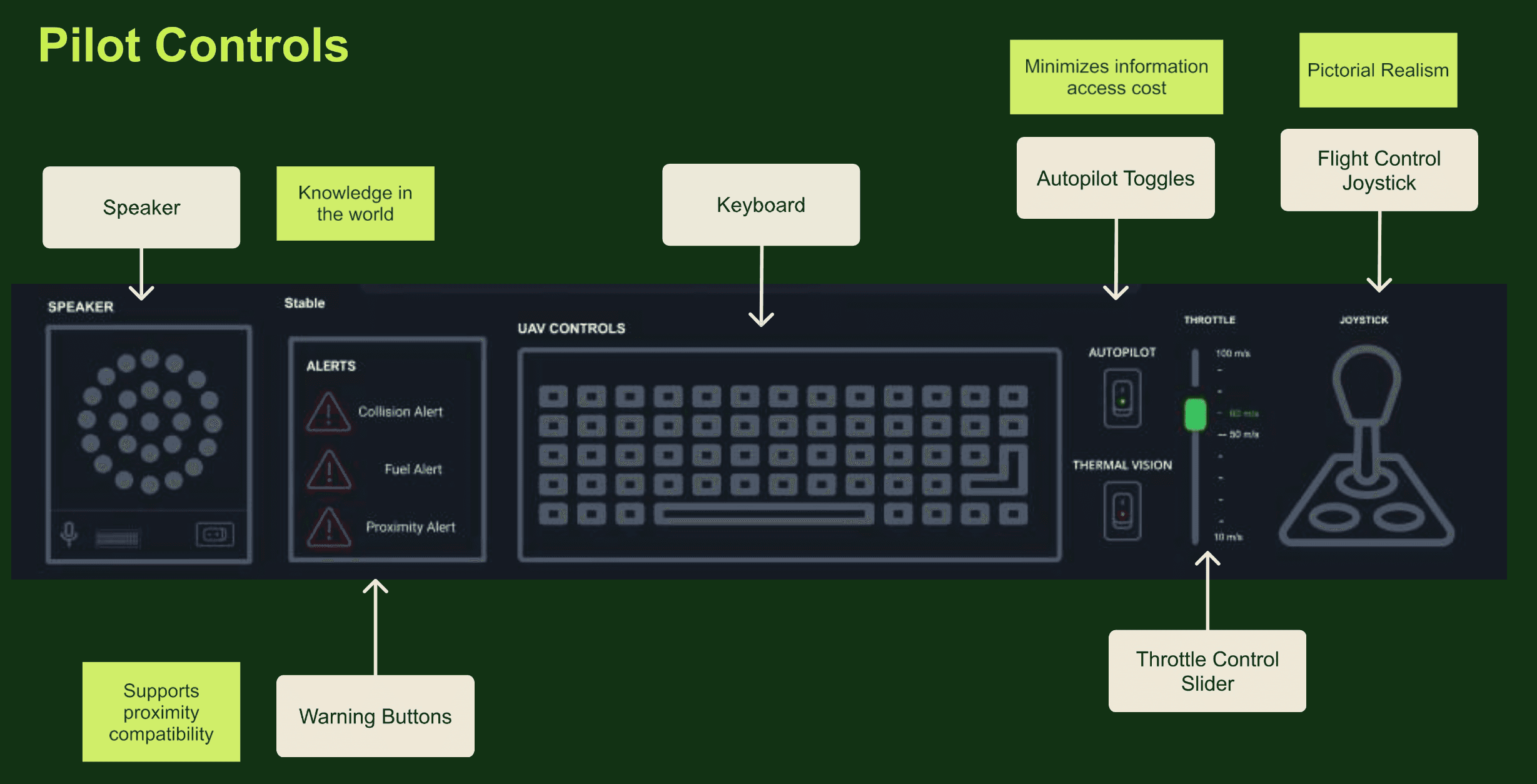
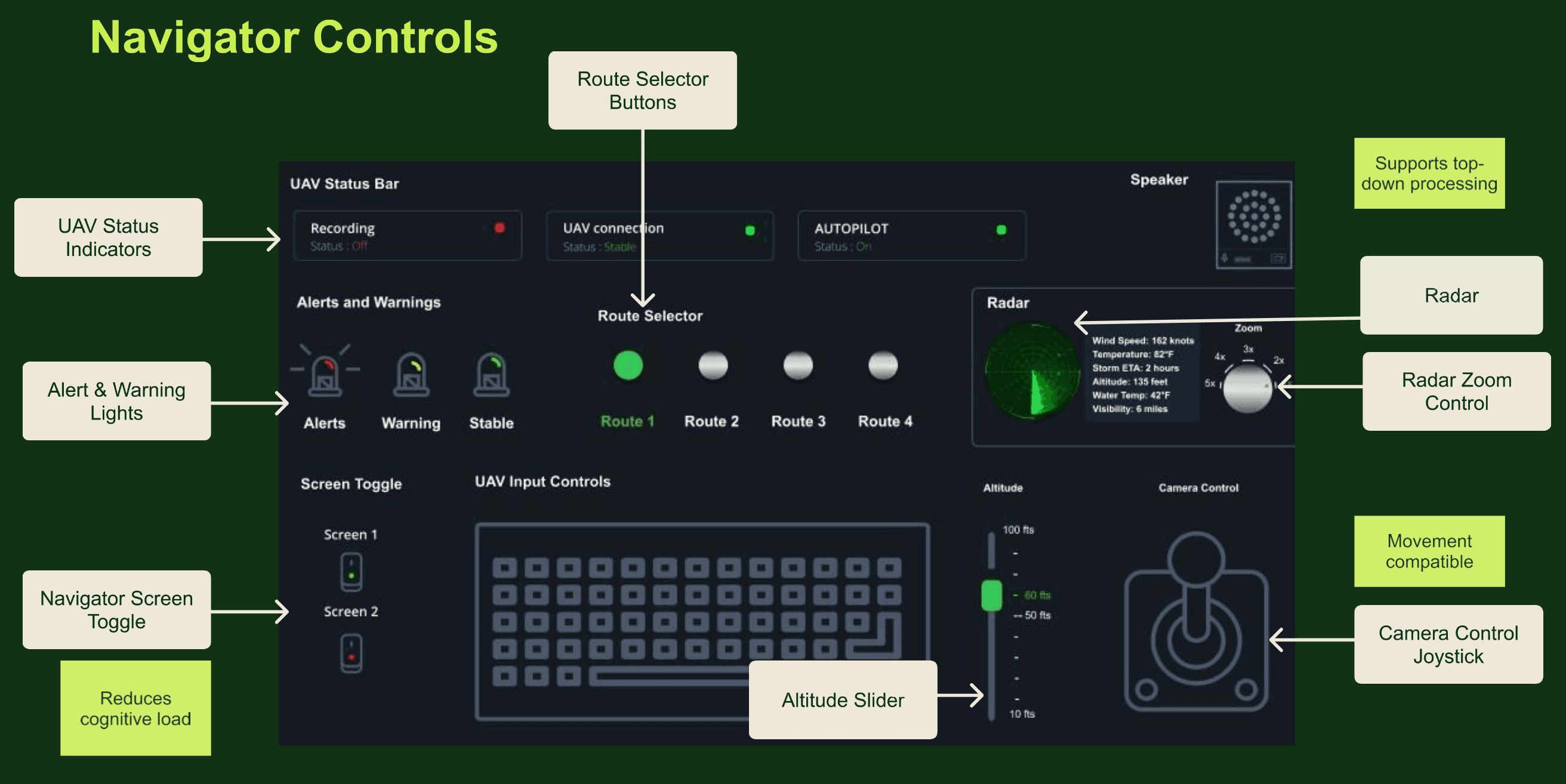
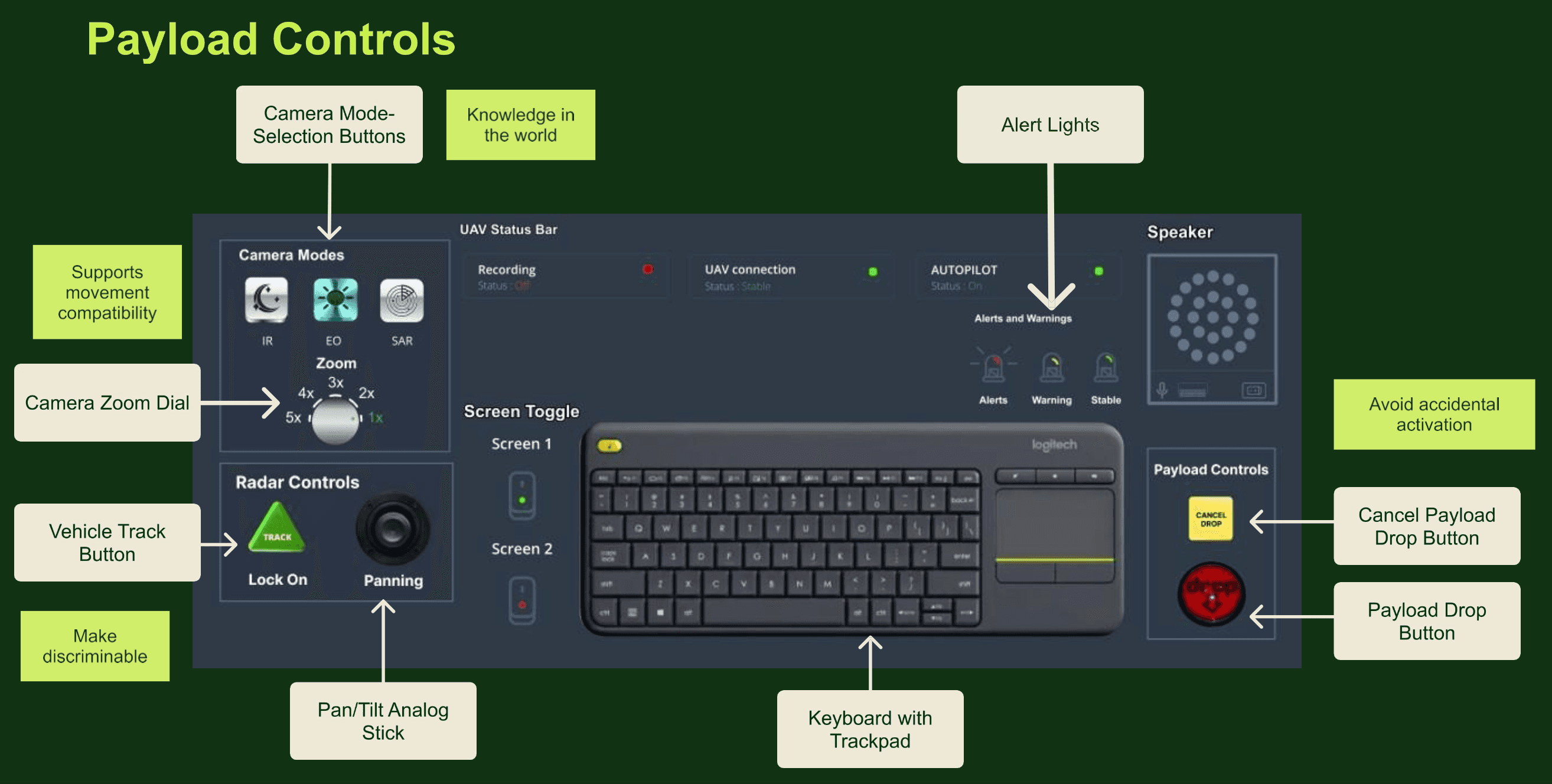
Figure 6. Physical controls for the pilot, the navigator and the payload operator, annotated.
Workspace and seating.
Anthropometric data set the key dimensions of each station:
Seated elbow height: 11.36 inches, which places the armrests and control panel
Seated eye height: 27.86 inches, for display position
Grip diameter: 1.8 inches, which sizes the joystick and the control handles
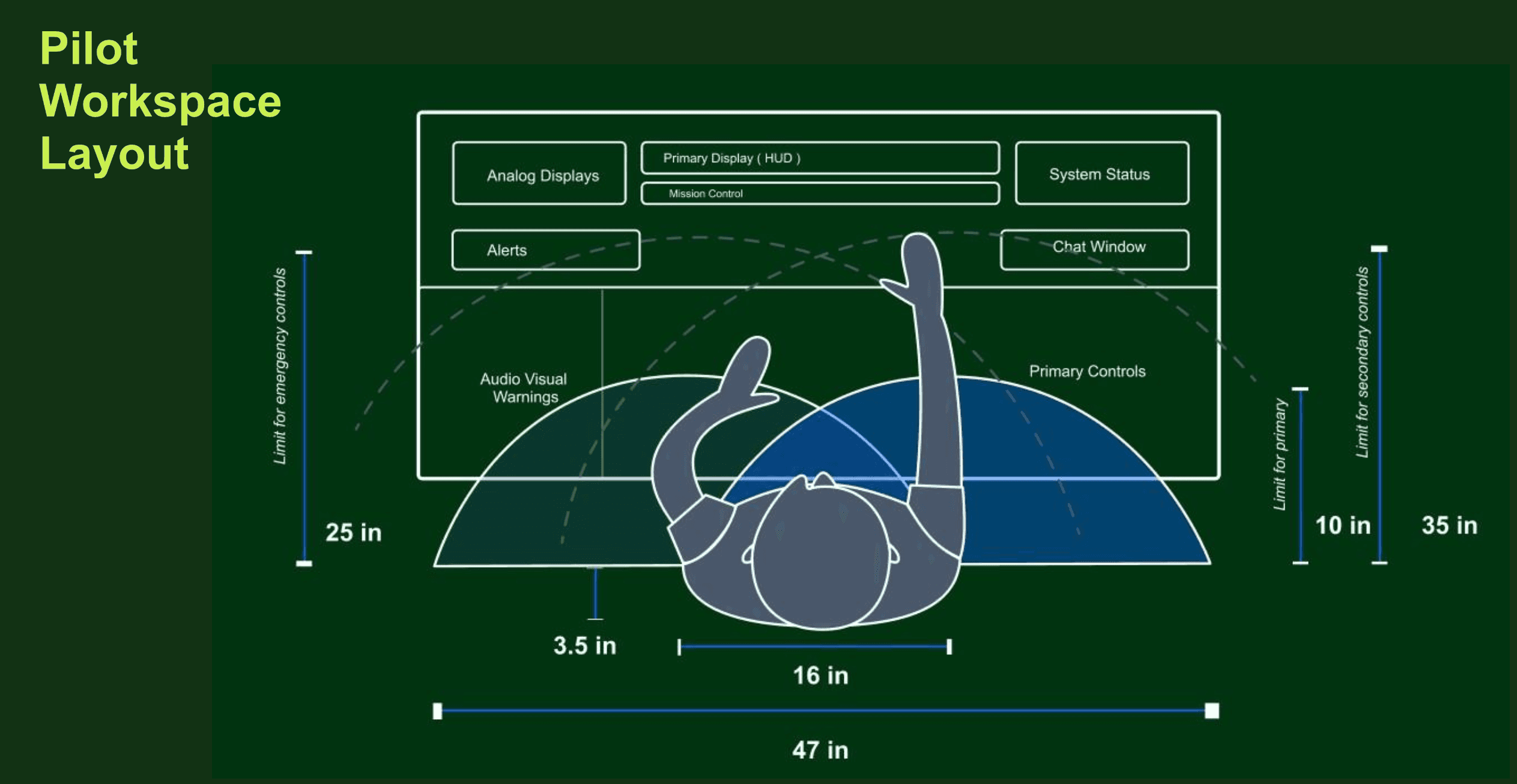
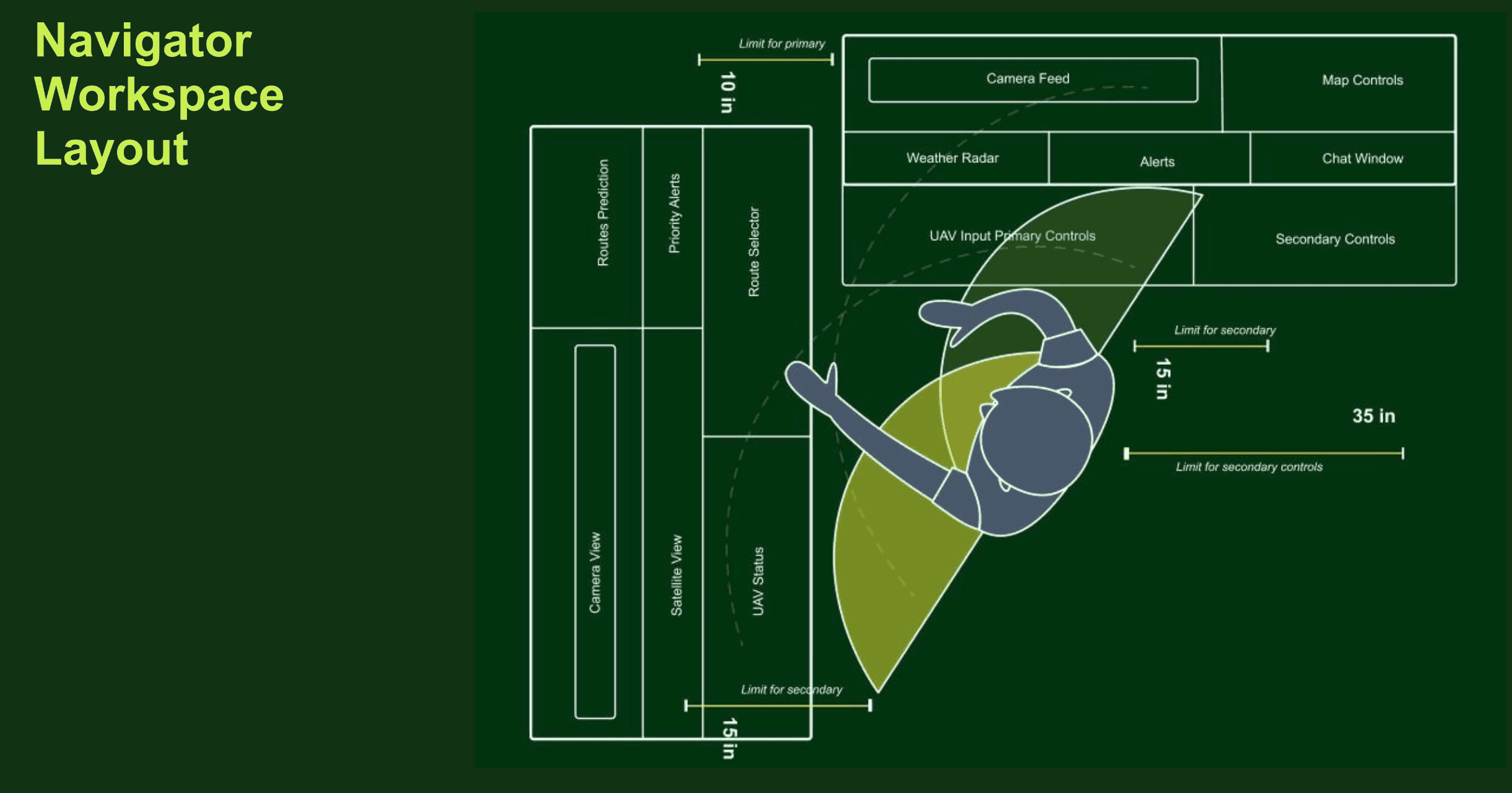
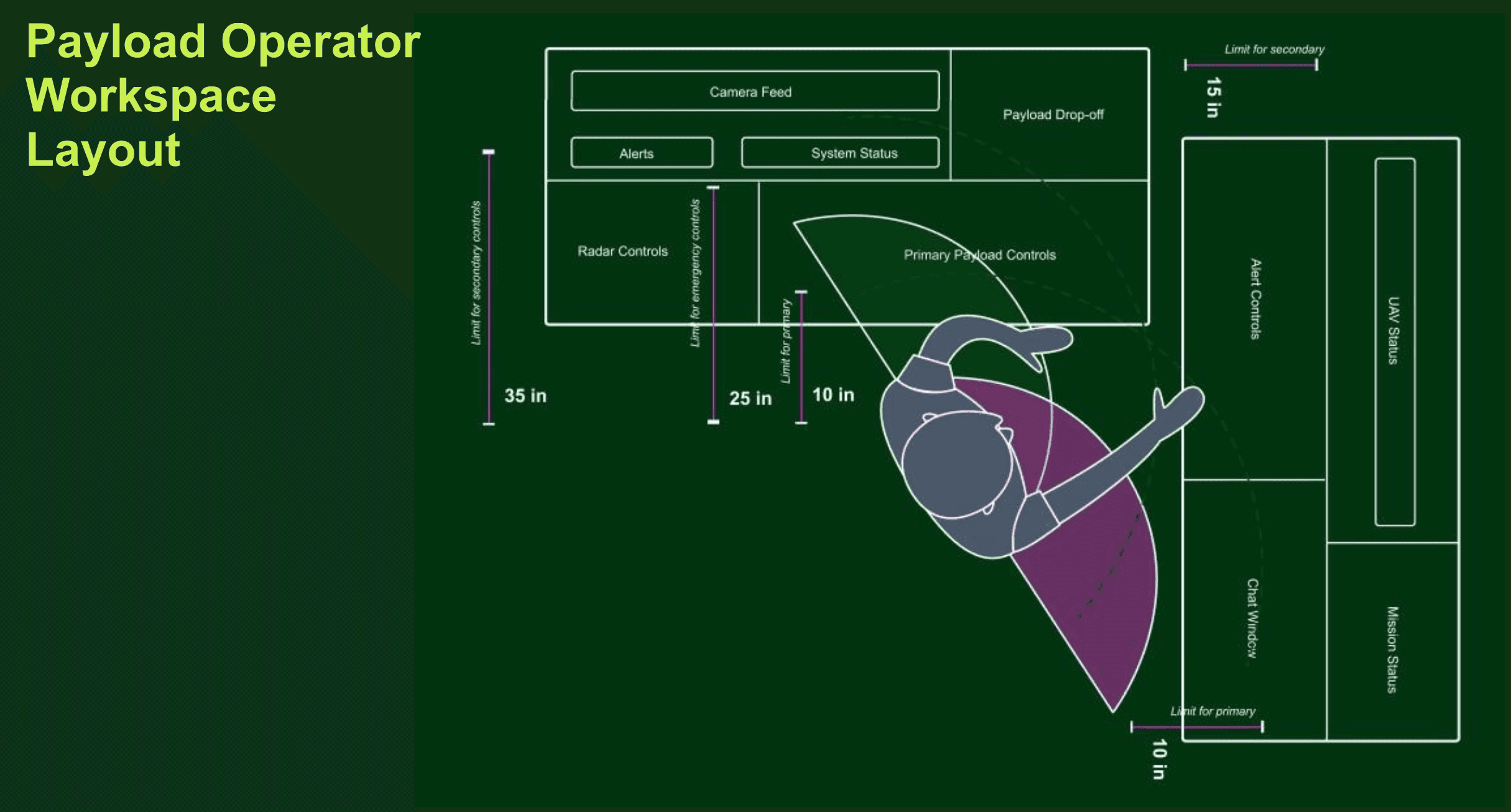
Figure 7. Workspace layouts for each role, with reach zones marked around the operator.
The chair specification covers:
Backrest: adjustable between 110° and 120° to spread body weight and ease spinal pressure
Seat height: adjustable, for healthy leg posture and circulation
Armrests: padded and adjustable, keeping the arms in a neutral position
Moving seat: encourages small movements that prevent stiffness and cumulative trauma disorders
Lumbar support: a 2-inch (5 cm) adjustable pad that follows the natural curve of the spine
Work-rest schedule.
Using the energy expenditure model for mental work, I planned the shift as 9.5 hours of work sessions, 2 hours of breaks and a 30-minute handover, with a break every 1.5 to 2 hours to limit mental fatigue.
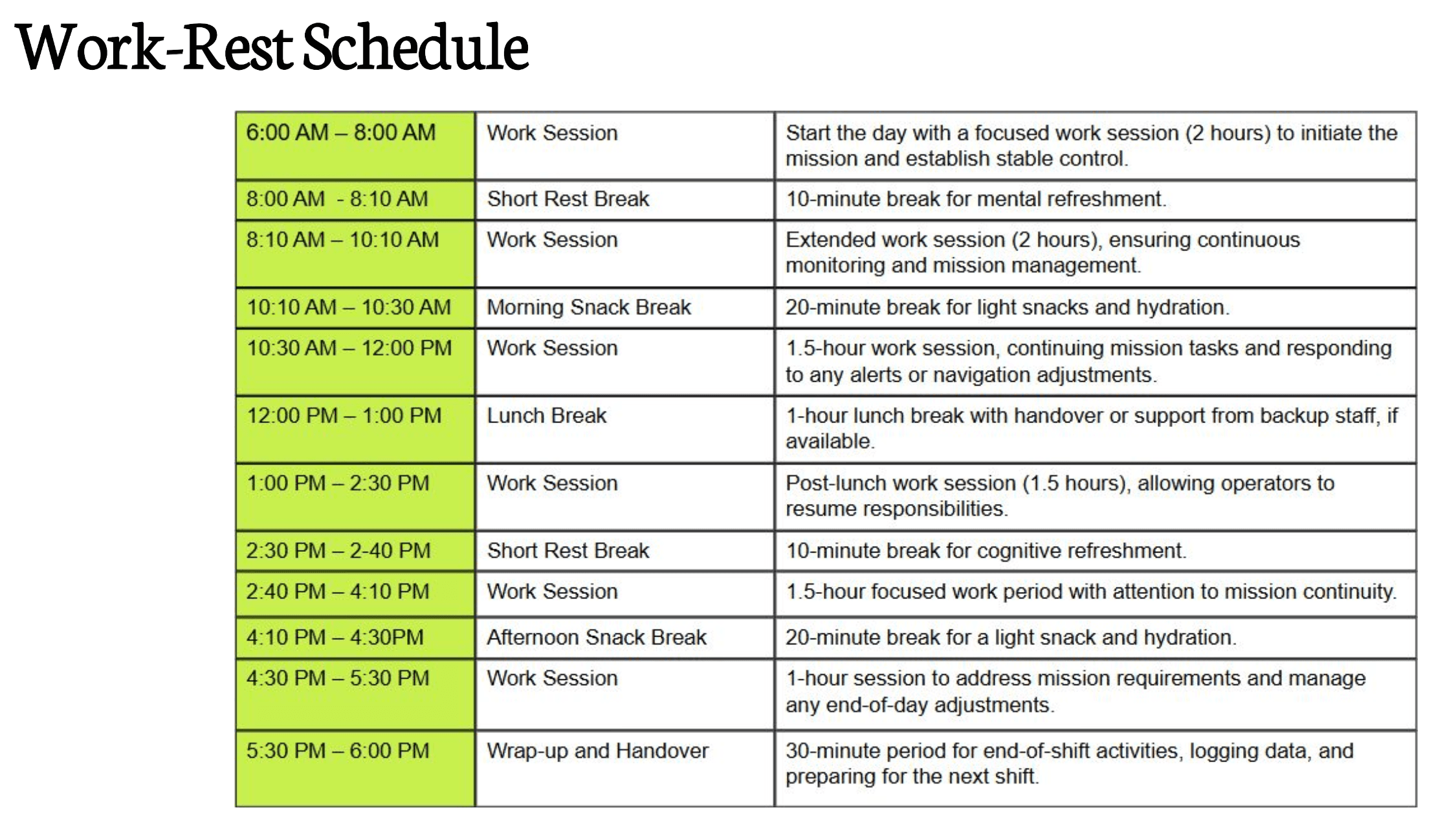
Figure 8. The shift schedule, from the first work session to wrap-up and handover.
Visual and sound alerts.
Alerts are color-coded by priority, from red for the most urgent down to green. They appear on the main screen along with a sound. Each alert pairs:
An error message at the top of the screen that names the issue
A suggested next step at the bottom that walks the operator toward a fix
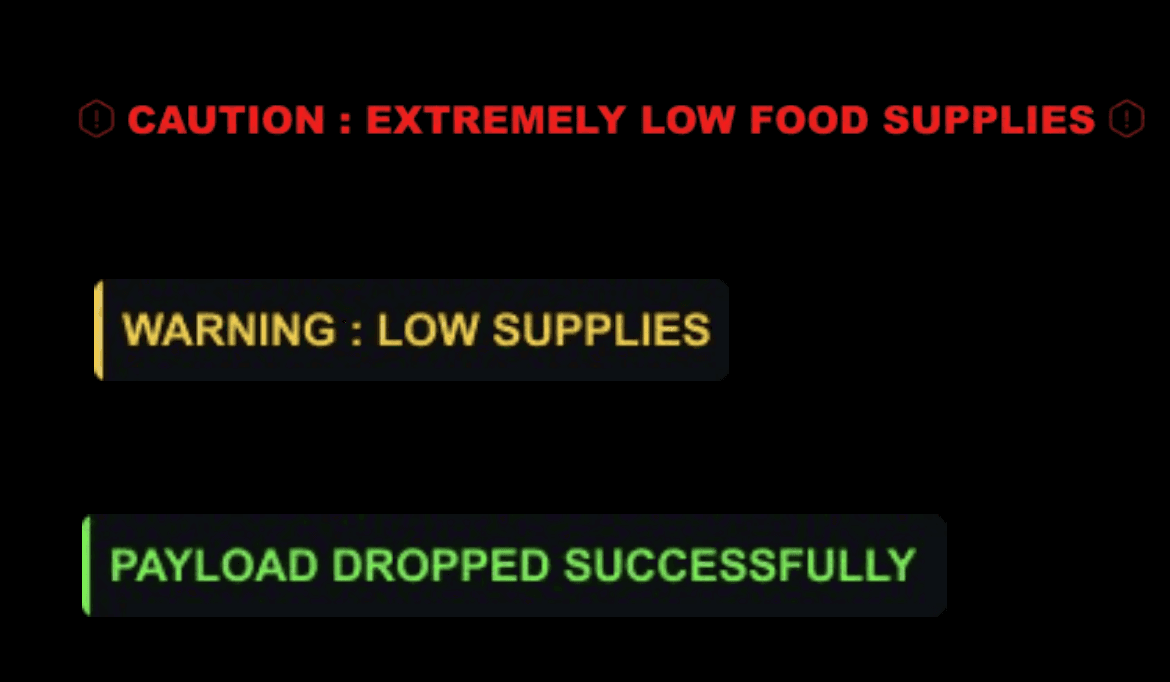
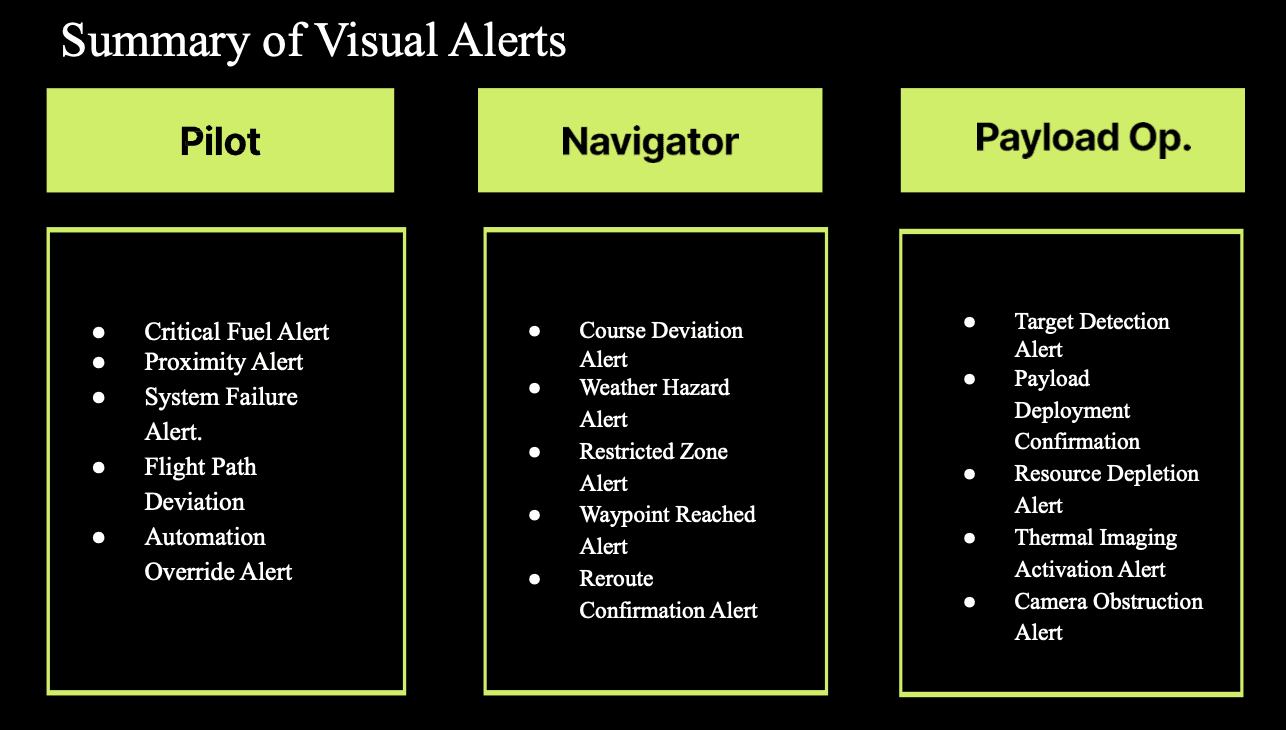
Figure 9. Alert styles by priority, and the alerts assigned to each role.
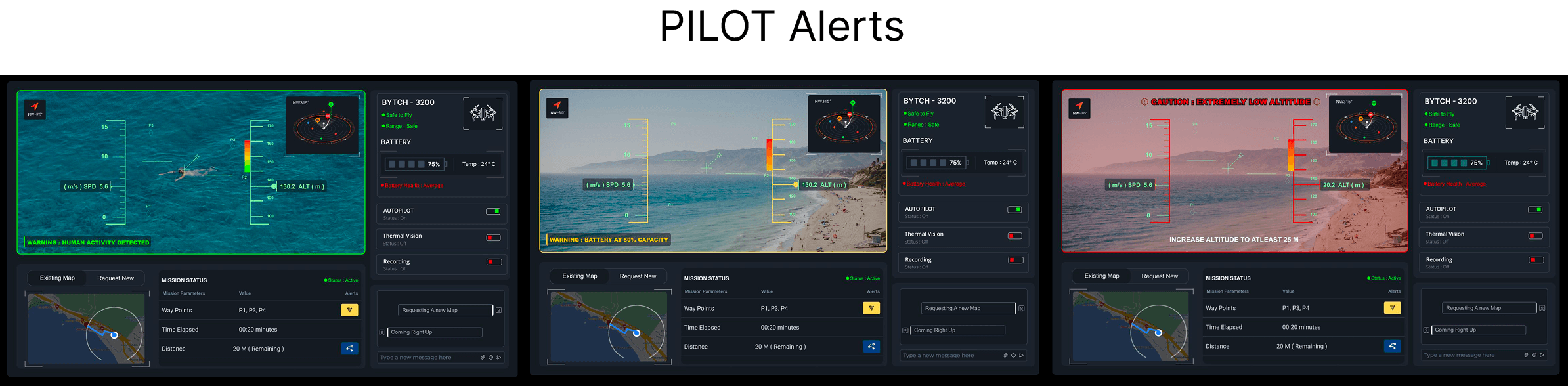
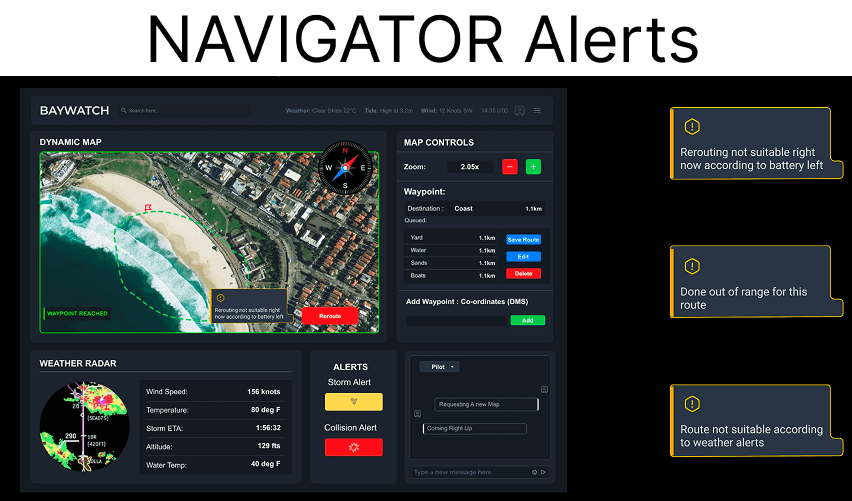
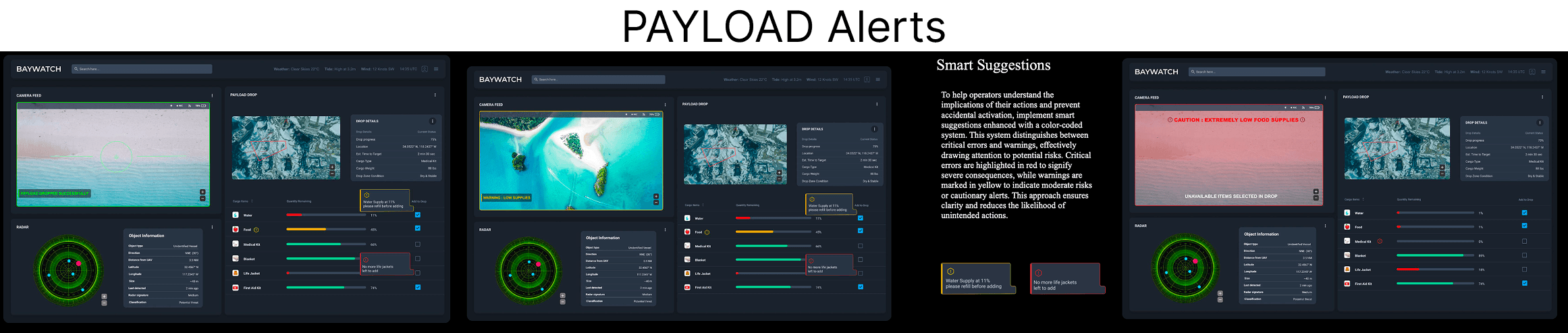
Figure 10. Alerts as they appear on each operator’s display during a mission.
Each role also has its own set of sound alerts, which you can play below.
Pilot: flight and mission safety
Collision warning
Low battery
Unauthorized activity detected
System failure
Flight path deviation
Navigator: mission planning and surroundings
Routine updates
Unauthorized activity detected
Weather changes
Flight path deviation
Payload operator: task execution and cargo
Payload drop confirmation
Cancel payload warning
Cargo system malfunction
Keep exploring
Back to all work
See every project →
Anchal Nagdev